




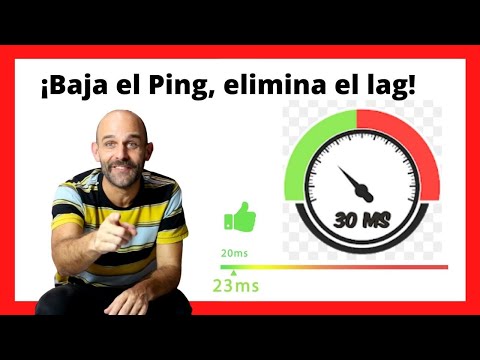
Experiencing performance drops and connection issues in video games can be truly frustrating. If you're wondering what's causing this and if there's anything you can do about it, it's time to talk about ping and how it affects your gaming experience.
To address this issue, you must first understand the components that affect your computer's connection to the Internet and how they can influence your gaming experience. Here are the top 5 reasons behind high ping and lag in online games:
- Internet Service Provider (ISP) quality
- Your internet connection speed
- Insufficient bandwidth
- Firewall configuration
- Geographical location
Below, we will analyze each of these factors in detail. But first, let's take a quick look at what ping, latency, and lag actually mean in video games.

Understanding ping in the gaming world
Ping is a measurement that indicates how long it takes for a data packet to travel from one computer to a server on the Internet and back. It is measured in milliseconds (ms) and allows us to
know the latency between the computer and the server. The word "ping" comes from World War II, when it was used as a technical term for the radar signal that submarines sent to measure their distance to another ship in the ocean. The word is an onomatopoeia derived from the metallic, high-pitched "ping" sound that was heard.
In the context of online video games, ping refers to the network latency between a player's computer (or client) and another client (peer) or the game server.
Differences between "low ping" and "high ping" in video games
The values associated with "low ping" and "high ping" are within a range. A ping of 100 ms or less is average for most broadband connections. In gaming, anything under 20 ms ping is considered exceptional and "low ping," while values between 50 ms and 100 ms range from very good to average. A ping of 150 ms or more is less desirable and considered "high ping."
You've probably heard the terms "low ping" or "high ping." In general, low ping is preferable, especially for games where timing and position are particularly important.
For example, low ping in shooter games (like Call Of Duty), real-time strategy games, racing games, and multiplayer games means faster data transfer and server response within the game, ultimately leading to smoother gameplay.
Those with high ping will likely experience delays (or lag) when playing, which will ultimately affect the game's outcome. In fact, at even higher amounts, many FPS game servers will automatically disconnect those players. Many online games will show your ping time as well as that of other players or servers.

What is latency?
While ping is the signal sent from one computer to another on the same network, latency is the time (in milliseconds) it takes for the ping to return to the computer. Therefore, latency is a measure of the entire round trip of that signal, while ping is only the outbound journey.
It is also important to know that latency refers to the quality, but not the speed, of your network connection. Network connection speed consists of two elements. The first is bandwidth (or the amount of data that can be transferred in a given period); and the second is latency, which is the time it takes for that amount of data to travel.
Ping is often used interchangeably with the term "latency." So when you hear gamers use the terms "low latency" and "high latency," they are often synonymous with "low ping" and "high ping." But that's not entirely correct.
What does "lag" mean?
Another term often confused with ping is "lag." But lag actually refers to the delay or slowdown sometimes caused by high ping (or high latency). During games, high latency can manifest as lag, which is the delay between a player's action and the game's response, affecting performance, causing freezing or stuttering, and even crashing games. Additionally, the server may disconnect you if your ping (or latency) is high enough to affect other players' gameplay.
Although lag is usually caused by high latency, it can also be due to problems related to the computer running the game. For example, insufficient processor (CPU) or graphics card (GPU) power, or lower system memory (RAM) or video memory (VRAM).
The 5 reasons why your ping is so high
1. Internet Service Provider Quality
It is not necessarily the most important thing when it comes to gaming requirements, but sometimes choosing one Internet service provider over another can mean the difference between winning or losing. And if you play in a league or for prize money, the stakes are even higher.
Operators do not necessarily offer exactly the same services and features, and multiple factors must be taken into account, such as price, speed, latency, reliability, availability, and data, among others. Find out the difference between download and upload speed
While download speeds are important, upload speeds are more critical for online gaming because low latency (or low ping) depends on decent upload speeds. Upload has a greater impact on response time and game performance than download speeds.
When most internet providers talk about their speeds, they are referring to download speeds. For example, Movistar might offer a plan with 100 Mbps (megabits per second) - the measure of how much data can be moved in one second - which most likely refers to download speeds.
Within that same plan, the maximum upload speed could be 1 Mbps, much lower. While 1 Mbps upload speeds may work for most online games, ideal upload speeds for multiplayer gaming or certain tournaments or for live streaming are closer to 3 Mbps.

To wire or not to wire?
For gaming, a wired connection is preferable to a wireless internet connection. Wireless connections are more susceptible to interference and are not as consistent as wired connections. More importantly, they increase latency because they use radio waves to connect you. That's why a wired connection is so important and why wired connections with Plastic Optical Fiber are ideal for gaming.
For gaming, fiber is the ideal option as it is very fast and allows for very low latency. But if fiber is not available, cable and DSL connections also work well for high-speed connections.
Equipment
While the equipment offered by many internet providers is usually sufficient for standard internet use, it is not always enough for your gaming needs. You may need to upgrade your equipment, especially if you have three or more devices connected to the internet.
The quality of your modem and router can affect network speed. Your router, in particular, is the central point for connections to all your networked devices. The one provided by default by your internet provider may not be fast enough for the connections you need. Be sure to check if it is an older model and potentially not powerful enough.
Also, check if you have other devices connected to your router, as you may be adding latency to your gaming sessions. Multiple devices, especially those used for playing video games and streaming, use more bandwidth. If you connect your computer directly to the cable, you will likely notice lower latency and faster connections.

What can be done about it?
Use cables (ethernet or plastic optical fiber) to connect your computer, as well as other gaming devices, directly to the router, if you have gigabit Ethernet ports on your router. Cables help you maintain fast, direct, stable, and low-latency connections.
Data
Data needs vary depending on requirements. In most cases, 100 GB per month is usually sufficient for gaming needs. But if you're downloading new games or streaming video, then you'll need more. For example, if you anticipate downloading several new games regularly, then it might make sense to subscribe to a plan that offers at least 500 GB or unlimited data.
However, plans with unlimited data may have asymmetric speeds, meaning upload and download speeds are not equal. As a result, that could negatively affect latency.
What to look for?
For most gaming needs, broadband connections of at least 25 Mbps download speed should be fine. But for more intense gaming needs, over 100 Mbps and unlimited data is really ideal.
2. Internet connection speed
In addition to the various factors that make up the quality of your internet provider, the speed of your internet connection can affect your ping (or latency). A faster connection speed allows data to be sent and received more quickly, which reduces ping. Conversely, a slower connection speed can lead to high ping, which in turn makes the delay more noticeable when playing online.
Satellite, cable, and fiber connections offer high speeds, but only cable and fiber offer low latency.
What is your best option?
A wired connection allows for a more consistent data flow than wireless connections, resulting in lower latency and smoother gameplay. It also ensures that other computers are not using the internet at the same time and taking up bandwidth.
Most internet providers offer various connection speed options at different prices. If you cannot improve your connection speed through your current internet service provider, you may consider optimizing your connections with cables.
3. Inadequate bandwidth
Bandwidth requirements for gaming are not as important as other features, such as connections and network efficiency. However, you should make sure you have enough bandwidth for your needs.
If you are streaming games, for example, you will need to ensure you have enough bandwidth to upload them. Insufficient bandwidth will affect the amount of time it takes to send and return data, leading to high ping (latency) and very likely lag during gameplay.
Although providers publish their bandwidth amounts, they usually do not include information on latency. One reason is that it can be difficult to state consistent amounts across different configurations and geographical areas. As we said before, 1 Mbps upload speeds are fine for most online games, but ping rates are more crucial for addressing latency issues.
Latency can also be affected by other users and devices connected to the internet in your home, especially if they are streaming services, videos, or downloading large files. The more devices that connect and utilize the internet connection, the higher the latency will be.
Perform a test to check your bandwidth
To determine if you are receiving adequate bandwidth, check out this free site called Speedtest, managed by a network performance company. It allows you to check your current ping, download speed, and upload speed. If you are not receiving the speeds your internet service provider promised you, you can let them know and ask them to optimize the speeds.
4. Firewall settings
Since the firewall checks most of the data packets that the computer sends and receives, this process can end up taking longer than necessary. Although that time is measured in seemingly inconsequential milliseconds, it can slow down your internet connection speed and lead to high latency.
If you want to reduce latency, you may need to disable any Windows firewalls or antivirus firewalls like Norton, McAfee, and others. Disabling firewalls that directly control web traffic, in particular, will reduce your ping.
You can make your game an exception to the firewall
Next, you can add your game as an exception within the firewall settings, configuring it so that the game's ports are open to traffic. By doing so, the firewall will stop treating the game as an intrusion attempt and will allow your computer to send data to and from the game.
Pro tip: keep in mind that this can expose your system to risks, even if temporarily.
5. Geographical location
The distance between your system and the server can mean the difference between experiencing low or high latency. If you can, choose a server that is geographically closer to you. This way, ping decreases because the time it takes for a data packet to travel between you and the server is reduced.
For example, it will take longer for a data packet to travel between a player living in the United States trying to connect to a server in Germany compared to a player connecting to a server in their own country. Ping will be higher in the first situation than in the second.
Conclusion
Your ping depends on an equation of several factors, and your gaming experience does not only depend on this indicator. Whatever your company/contract type, it is best to optimize your part of this equation at home as much as possible. If you have any doubts about what suits you best or how you can optimize it, contact us at info@actelser.com
Check out Actelser's Ping Booster or consult us about your case


