




You've already decided you want a highly reliable solution for your connection.
You're tired of unreliable connections, high ping, and Wi-Fi not reaching where it should.
You also know that wiring your connection is more effective than any PLC repeater or mesh Wi-Fi.
You've discovered plastic optical fiber and decided on it after seeing that it's the most practical and quickest solution to install.
Perfect, you're on the right track to solve it.
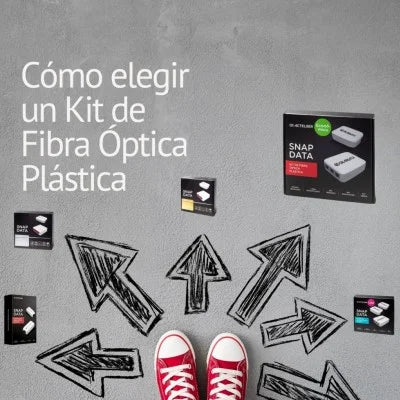
And now? Which Snap Data kit is best for you?
Today we want to answer the questions that arise when you reach this point.
Let's go.
Do I have to have ruled out other options to go straight for POF?
Not necessarily. Using POF as a dedicated transmission medium guarantees that the effective and theoretical speeds will be the same.

Unlike other repeaters, such as WiFi or PLCs, where the displayed capacity is the maximum theoretical but never the real one we will achieve, and which sometimes differs greatly from the commercially indicated value.
What do I need to know to choose a Plastic Optical Fiber Kit?
Basically, you need to determine:
The number of devices you will need to connect directly to the RJ45 (Ethernet) outputs.
The number of access points you want to have.
The length of cable you will need.
Think about the points in your house where you need connectivity and roughly estimate the meters of fiber you will need.
Roughly determine the meters of cable hidden in the walls; for this, you should have a basic understanding of where the conduits of your electrical installation run and locate the junction boxes.
This will help you estimate the meters. It doesn't have to be exact, but a rough estimate is useful.
You should also know the number of devices you will connect at each point and the number of outputs and speeds available on the equipment to be connected.
For example, many smart TVs have a maximum speed card of 100mbps.
What questions should I ask myself to choose a Kit?

You need to know the network and Wi-Fi points you need in your home, their locations, and, most importantly, which connection type or scheme best suits your home to achieve the highest performance (defined by the speed/coverage tandem), taking into account the fixed and mobile devices you have. (see article on connection types)
That is, analyze carefully where we need quality network connections, the more that can be wired with Ethernet the better, and then properly distribute the local Wi-Fi coverage areas to create a wireless "cloud" that allows for very good connection anywhere in the house through local Wi-Fi emitters.
What options do I have with POF?
The basic and main option is to wire POF with one of the available KITS to fixed devices (TVs, desktop PCs, video consoles, NAS, etc.) and wire Wi-Fi access points that provide connectivity to mobile devices in those areas (Smartphones, tablets, IoT gateways, etc.).
Also, all kits are expandable and Actelser devices can be purchased individually, so a good plan is important but never definitive.
What are the differences between Snap Data kits?
The differences between Snap Data Kits are the number of included POF devices, which allow different network configurations (star, ring, or mixed), and a different number of inputs/outputs, enabling us to choose the right one for our network setup.
In terms of speed, we have the 100Mb Single kit; the rest of the kits all operate at Gigabit speed.
Some kits include a Wi-Fi emitter to connect to the fiber receiver terminal, which will provide local Wi-Fi coverage for Wi-Fi devices in that space.
This Wi-Fi can be purchased separately for any kit, and as many as desired can be installed to create sufficient local Wi-Fi networks and provide total coverage for our home.
Within the same kit, the supplied POF meters also vary. You must choose the necessary meters according to your installation calculations. This point is important since the fiber run cannot be spliced as such. It can be re-fed with a Daisy chain device, but you can never splice two pieces of POF.

What use cases are each of the Snap Data kits designed for?
The Kits are designed to support everything from basic point-to-point installations to point-to-multipoint, Daisy Chain installations, or for use as a backbone network to provide different Ethernet connections and Wi-Fi Access Points.
- The Basic Kit and the Single Kit are designed for point-to-point connections. Generally from the router to a room or device without coverage or network.
- The Duplex Kit is for 2 points, configurable in a cascade (linking one room and then a second room from there); or by running 2 independent POF lines from the router to two rooms without coverage (a "Y" connection).
- The Gold Kit and the Premium Kit are for several extra points and their configuration is star-shaped, although the Premium combines both: star and cascade. Obviously, these two kits have many different possibilities.
- The telework kits include a WIFI point, but as we have indicated, this WIFI can be used in any kit or device, as it is directly connected to an Ethernet port of the POF devices.
Can kits be combined with each other?

Yes, all Snap Data converters are compatible with each other, and all installations made with any Kit are scalable with any other Kit or with any individual Snap Data Actelser component.
Since it is an easily expandable system, you could provide network to the area where you have the greatest need with the point-to-point Kit and then make expansions to the installation. Little by little, you could build the backbone network you desire in your home.
Can I expand a kit with loose Actelser parts?
Yes. You just need to be clear about how the equipment in the Kits and any extra items you wish to purchase interconnect.
What should I do if I have a limited budget?
Since it's an easily scalable solution, you can plan a staged installation, prioritizing connectivity based on your needs.
For example, you can start with a point-to-point installation using our Single Kit at 100Mbps or 1Gbps.
If the equipment to be connected doesn't require much intensity, the 100Mb kit will be sufficient.
Later, you can "move" the equipment as needed according to requirements; the only "immovable" or difficult to move part is the POF cable run itself.
If budget is not an issue, what is recommended?

Set up a POF backbone network throughout the home.
This means providing wired connectivity with POF and Snap Data converters to all fixed elements and determining which points will need Wi-Fi access to ensure the best possible wireless coverage throughout our home.
This option yields better results than Mesh Wi-Fi.
Should I seek advice? From whom?
It will depend on each individual's skills; neither knowledge of IP Networks nor the ability to handle special tools is required for installation and configuration.
It's a simple, non-configurable task where we need to define connection points in our house and connection ports for our devices at each point.
At the different endpoints, we will add Wi-Fi modules to create local wireless networks and provide total coverage for our home.
Is it better to call an installer?
It depends. The biggest complication and where there is a risk is when accessing existing electrical conduits to guide the POF cable.
The conduits may be small and/or filled with existing wiring.
If you don't feel confident, it might be advisable to call an installer to perform this step. One solution could be to use phone or antenna conduits.
If I need to run cable outdoors, how do I do it?
Fiber can work outdoors as it can withstand temperatures from -55 to 70º C in a dry atmosphere. However, it is advisable to protect it with a conduit or corrugated pipe to prevent possible damage from impacts, animals, rainwater, or the effects of the sun, for example.
To what extent are cable distances important?

Distances are important because if the distance is greater than recommended, it will be impossible to establish the optical link, and the converters will not function.
The fiber length is limited to 50 meters because for greater distances, signal attenuation causes it to fall below the minimum level required for communication between the POF emitter and receiver.
Greater fiber distance means greater light travel distance, higher attenuation, less signal power at the destination, and poorer communication quality, leading to equipment desynchronization.
Is it really that easy to install?
It's easy to install, but you need to be a bit handy, especially when guiding the cables through the conduits.
You can always watch our tutorials on YouTube to get an idea of the simplicity of the installation.
Ideally, you should first check the conduit with a cable pulling guide (and lubricant if necessary).
This way, you ensure that it is in good condition and allows passage from one point to another, and also determine the necessary meters of fiber for the desired installation.
How do I know if the cable will pass through the conduit?
To pass the cable, you will need a cable-pulling guide that will help you identify the path between the points to be connected. If the guide can pass between the two points, it guarantees that the POF cable will also, and it will also help you calculate the meters of POF cable needed.
Do I need tools?

Except for the guide—and lubricant if necessary—the necessary tools are usually available in any home (screwdrivers, electrical tape, cutting pliers, etc.), in addition to the fiber cutting blade included in all our Kits. We could summarize that we can install it without problems with the following tools:
- A screwdriver to remove cover plates and outlets.
- Cable pulling guide and lubricant.
- Cutter supplied in the kits.
- A pair of scissors.
If internet speed increases, will I have to change equipment?

It is possible that in the future, operators will offer access bandwidths of 2.5Gb or 10Gb. Although our equipment will work locally (between converters) or externally with a bandwidth of 1 Gb, a speed we believe is sufficient today.
The operator's speed is independent of the installation.
As long as the operator's speed is 1 Gbps or less, this system will allow you to transfer that bandwidth wherever you wish.
If the operator's or local network speed were greater than 1 Gbps, it would not be necessary to change anything, but you should note that between devices in this system, it will only transport 1 Gbps, but it will not affect other equipment that does not use this network and can work at speeds higher than Gigabit.
Do they support 10Gbps? Is it really necessary?
No, they don't support 10 Gbps, and we believe it's not necessary to support it today, as most household devices operate at a maximum of 1 Gb, and devices with 10 Gb connectivity are only found in large data processing centers.
As a detail, the network cards of almost all Smart TVs on the market are still 100 Mb.
For us, it's more important to have less bandwidth but to have it wherever you need it without losing it along the way.
Do you have more questions?
Let us know if there are any other questions you'd like to ask. You can write to us at info@actelser.com and we will help you resolve your specific case.
You can also keep reading some of our recommended articles or visit our YouTube channel for more information.


