



(3)-min.png)
While Plastic Optical Fiber (POF) is an easier and faster alternative for installing cables at home, it's essential to understand the different classic Ethernet cable options and avoid common mistakes when selecting the right one.
In this article, we'll reveal secrets that experts don't usually share about network cables and help you make an informed decision about the best option for your connection. You'll discover key aspects such as categories, shielding, and length, so you can enjoy an optimal connection without issues. Keep reading and learn how to avoid common mistakes when choosing Ethernet cables!
Common Mistakes
When selecting an Ethernet cable, it's crucial to avoid mistakes that can compromise the quality and performance of the network connection. One of the fundamental aspects to consider is the cable category, which determines the speed and maximum supported distance. Therefore, it's essential to choose an appropriate cable based on your specific requirements.
Furthermore, another common mistake is overlooking cable quality. Lower-quality Ethernet cables can experience interference problems, negatively impacting the speed and stability of the network connection. For this reason, it's advisable to invest in higher-quality cables that offer optimal performance and greater durability.
Ethernet Cable Categories
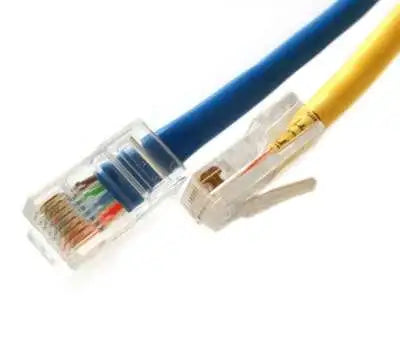
Ethernet cables, also known as RJ45 cables, are organized into categories based on their capacity to transmit different connection speeds. For home use, Category 5e or 6 cables are usually sufficient, as they offer transfer speeds of up to one gigabit. However, if you're looking for a future-proof installation, you might opt for Category 6a or 7 cables, which will support higher speeds in the future.
Cable Length and Power Loss
Cable length affects transmission speed. A shorter cable (1 meter) will provide a higher peak speed than a longer one (3 meters). The difference in speed is due to frequency, which defines the network's power and establishes its bandwidth and the range of data loss along the cable.
Electromagnetic Shielding
Electromagnetic shielding protects the copper wires inside the cable and improves the stability and quality of transmission speeds. There are several types of shielding:
(2)-min(2).png)
- UTP (Unshielded Twisted Pair): Unshielded cable, suitable for connecting devices to the router at home, but not recommended for installations inside walls that require long cable runs.
- FTP (Foiled Twisted Pair): Cable with overall foil shielding that protects all twisted pairs simultaneously, offering protection against external interference.
- STP (Shielded Twisted Pair): Cable with a conductive braid that protects each twisted pair individually, ideal for electrical installations inside walls.
- SFTP (Shield Foiled Twisted Pair): Special cable that combines the protections of FTP and STP, offering the highest protection against electrical interference and being more suitable for long runs, although also more costly.
How to choose the right Ethernet cable?
For home use, Category 5e or 6 cables with UTP shielding are usually sufficient. However, if you plan to install cables inside your home, running them through wall cavities, you should consider the cable's internal composition and opt for one with greater protection, such as STP or SFTP. Additionally, keep in mind that, by regulation, no cable category supports runs longer than 100 meters.
Frequently Asked Questions
What types of network cables are there?
Network cables are known as RJ45 or Ethernet cables, with categories ranging from 5 to 8 and different types of shielding.
|
Category |
Speed |
Frequency |
Download Speed |
|
Ethernet Cat 5 |
100 Mbps |
100 MHz |
15.5 MB/s |
|
Ethernet Cat 5e |
1,000 Mbps |
100 MHz |
150.5 MB/s |
|
Ethernet Cat 6 |
1,000 Mbps |
250 MHz |
150.5 MB/s |
|
Ethernet Cat 6a |
10,000 Mbps |
500 MHz |
1,250 MB/s or 1.25 GB/s |
|
Ethernet Cat 7 |
10,000 Mbps |
600 MHz |
1.25 GB/s |
|
Ethernet Cat 7a |
10,000 Mbps |
1,000 MHz |
1.25 GB/s |
|
Ethernet Cat 8 |
40,000 Mbps |
2,000 MHz |
5 GB/s |
What is a network cable used for?
A network cable is used to transfer data between your devices, such as connecting a PC to a router for internet access. It is also used in internal home installations to bring internet to Ethernet ports in the living room or other rooms.
How to tell if a network cable is damaged?
If you are experiencing connection problems, it could be due to the network cable. Try restarting your router and checking if the problem persists on all devices. If it only occurs on the device connected to a network cable, try connecting another device to the same cable to see if the error continues.
Conclusion
Choosing the right Ethernet cable is crucial to maximize your internet connection. Consider the category, length, shielding, and intended use of the cable to make the correct decision. Now that you know the key aspects to consider, you'll be better prepared to enjoy an optimal connection in your home!


